Client For :
Selina Doe
Service :
Product Design
Overview
Product design services involve the process of conceptualizing, creating, and refining products that meet user needs and business objectives. These services encompass various stages from initial idea to final product launch. Below are the key aspects typically included in product design services.
⚡ Key Features
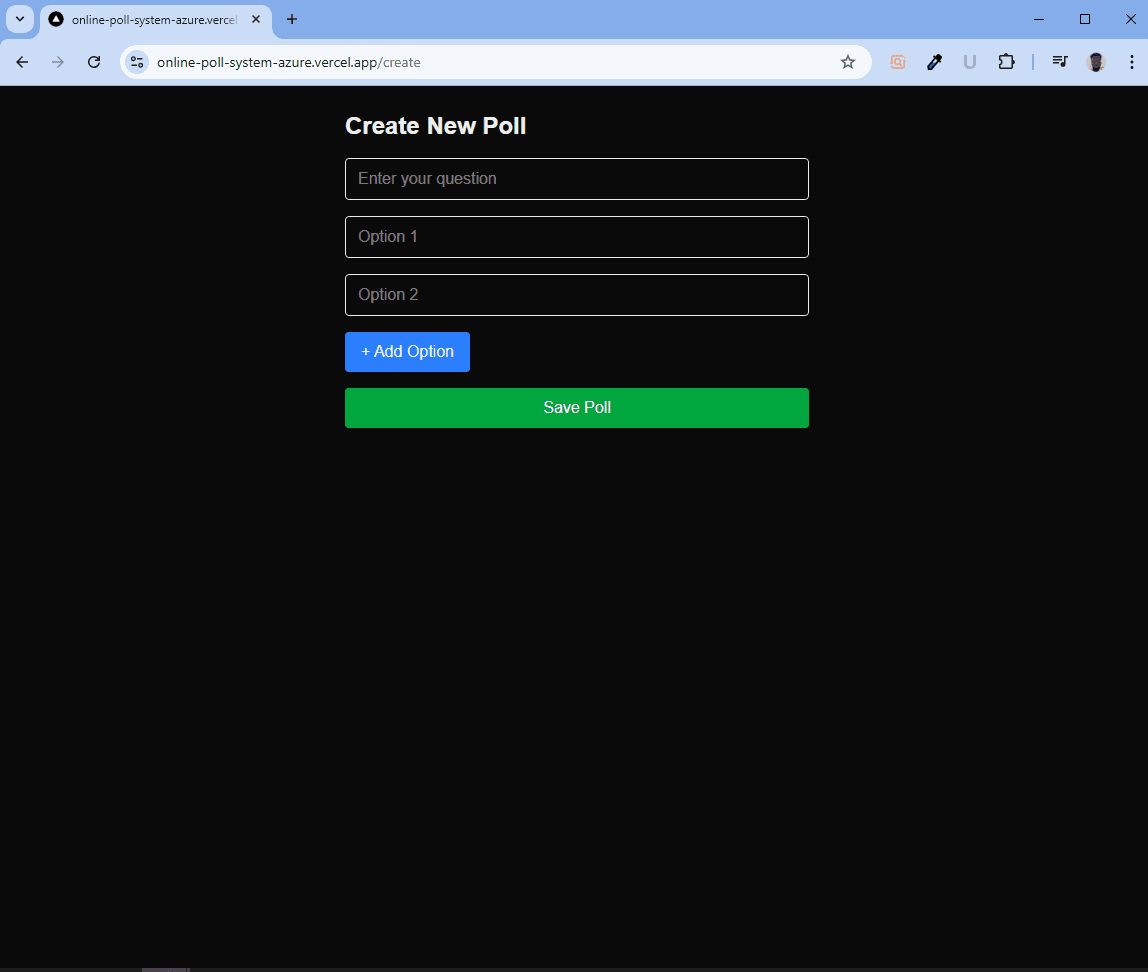
1. Create Polls – Users can add polls with multiple options.
2. Vote in Real-time – Votes update instantly with Redux state management.
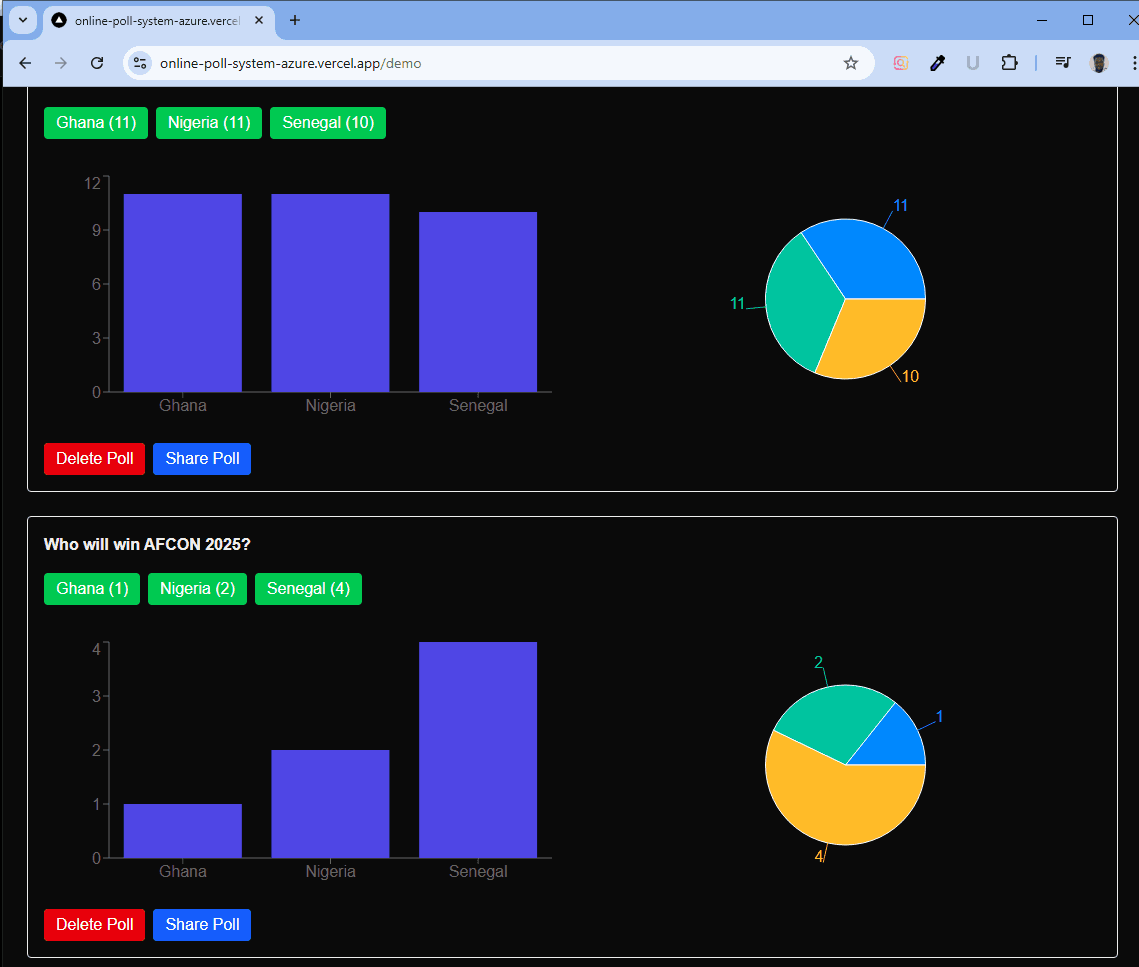
3. Visual Results – Integrated Recharts for live Bar & Pie chart visualizations.
4. Share Polls – Share via native browser share API, Twitter, WhatsApp, or copy link.
5. Poll Management – Ability to delete polls and toggle active/inactive voting.
6. Responsive Design – Fully optimized for mobile and desktop users.
🛠️ Tech Stack
Frontend: Next.js (Pages Router) + TypeScript + Tailwind CSS
State Management: Redux Toolkit (poll slice for add, vote, delete)
Visualization: Recharts (Bar & Pie charts)
Deployment: Vercel (CI/CD integration with GitHub)
WooCommerce Integration :
Product Management: Set up WooCommerce to manage digital and service-based products, allowing clients to upload/download resources securely.
Variable Products: Enabled custom pricing for product tiers and service options (e.g., basic logo, full branding kit).
Order & Inventory Management: Configured automatic emails, invoicing, and limited-time discount options for marketing campaigns.
🚀 How It Works
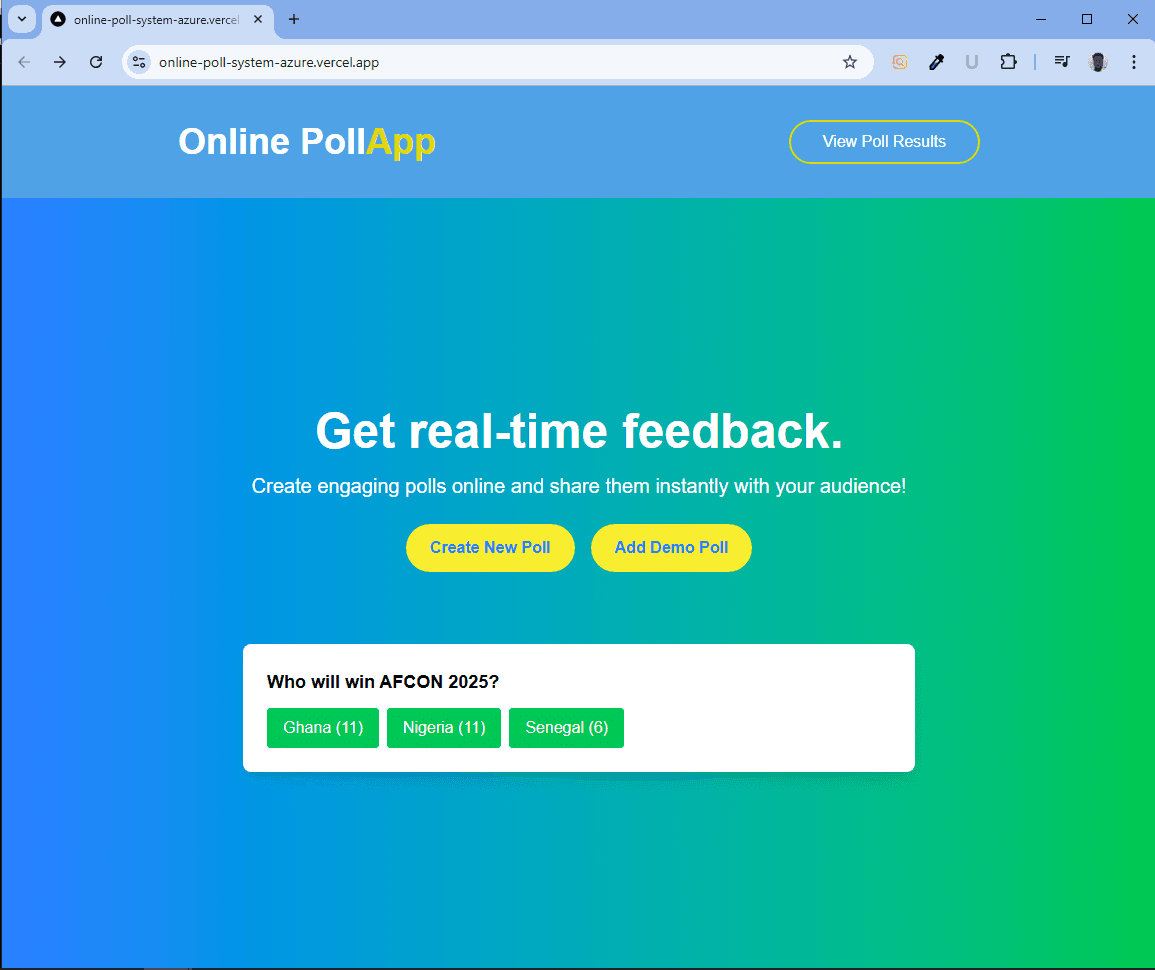
1. Homepage – Hero section with CTA: Create Poll / Add Demo Poll.
2. Poll Dashboard (Demo Page) – Lists all polls, voting options, and live charts.
3. Poll Detail Page – Shareable link (/poll/[id]) with social and copy-link buttons.
4. Header Navigation – Quick access to polls, results, and creation.
1. Redux (State Management)
Purpose: Redux was used to manage the state of your application globally.
o It keeps track of polls, votes, and results in a centralized store.
o Instead of passing props through multiple components, you can access and update state from anywhere.
o It ensures predictable updates with actions and reducers.
✅ Example: When a user submits a vote, the action updates the Redux store, and all components connected to the store (like results or poll list) automatically re-render.
2. Charting Library
Purpose: A charting library (like Recharts or Chart.js) was used to visualize poll results.
o Instead of just showing numbers, it turns the votes into bar charts, pie charts, or line charts.
o This improves data readability and user experience.
3. API (Type & How It Works)
Type of API: You used a REST API (built with Next.js API routes). How it works:
o Frontend makes HTTP requests (GET, POST) to /api/polls.
o The API handles poll data (e.g., creating new polls, fetching polls, submitting votes).
o The server responds with JSON, which Redux uses to update the store.
✅ Example: GET /api/polls → fetch all polls POST /api/polls → add a new poll POST /api/polls/:id/vote → submit a vote for a poll